Choose an eligible ringgit amount or gold quantity and review the complete FPX total.
 Get the app
STAFF APP WALKTHROUGH
See every step.
Own every gram.
Learn how to explain, demonstrate and support the complete Kanika Gold App journey through its real screens.
Begin the walkthrough ↓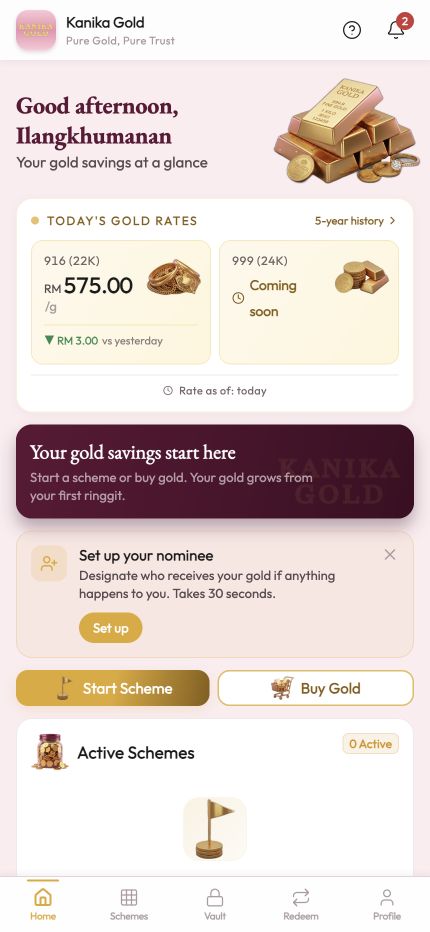
Build a twelve-payment routine with visible dates, recorded grams and current completion terms.
Move from eligible recorded grams to verified physical-gold collection at Kanika.
THE FIVE-TAB JOURNEY
One screen
at a time.
Select a tab below. The phone shows the real interface; the notes beside it explain what the screen means.
01 / 05
Home TAB
Begin every demonstration here.
What to know
- Today’s displayed 916 rate and recent price movement
- The difference between Start Scheme and Buy Gold
- Where active schemes, the vault and nominee setup begin
COMPLETE USAGE WORKFLOWS
From first tap
to final review.
Choose a real task. Each slide shows the actual interface and what matters at that moment.
STEP 1 / 3
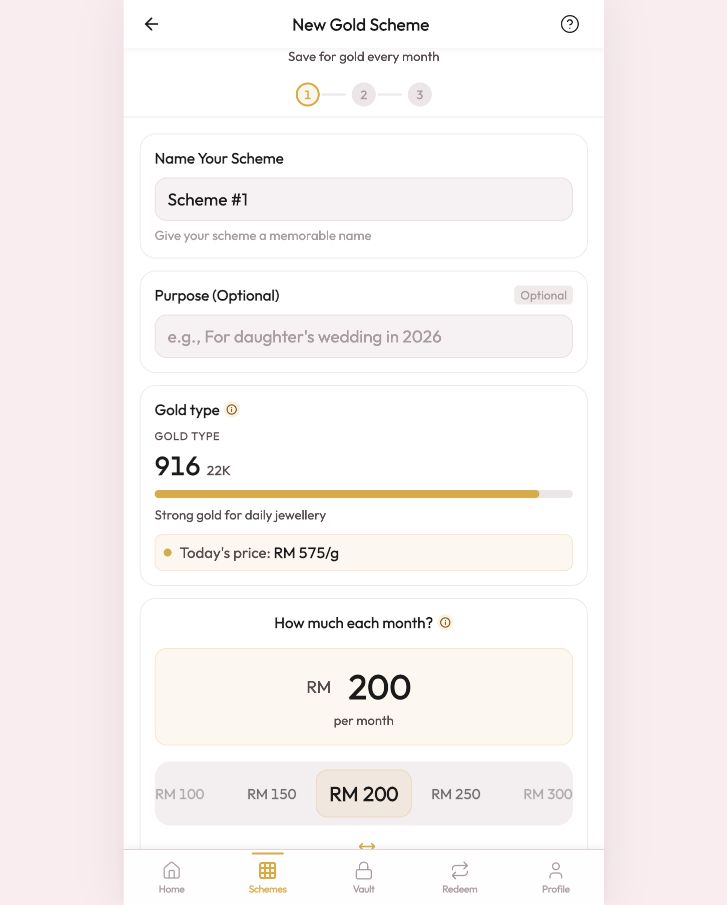
Name the plan and choose the monthly amount
The customer sees the current 916 rate, chooses a monthly amount from RM100 and receives an indicative gold quantity. Explain that final grams follow each payment date’s displayed rate.
BEFORE PHYSICAL COLLECTION
Verify your identity.
Protect the handover.
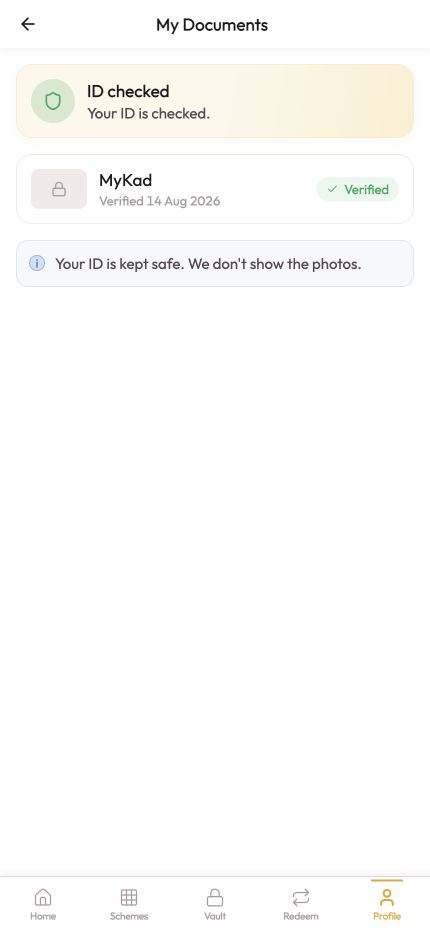
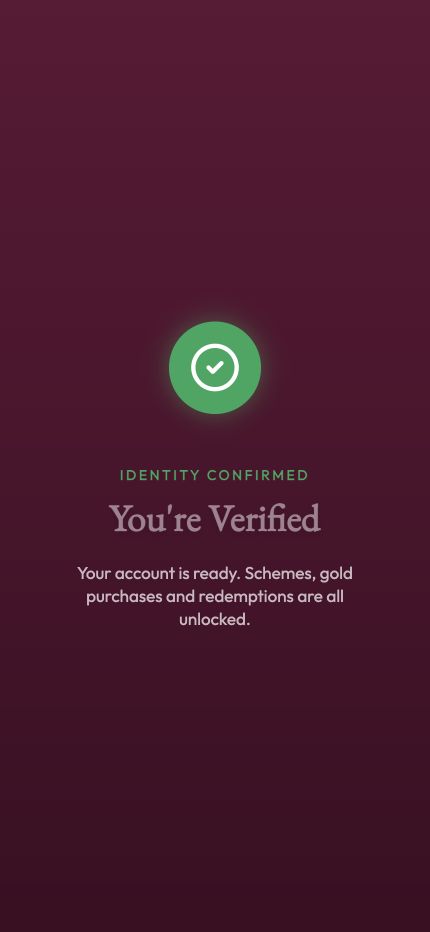
You may purchase before KYC. Before physical collection or cash trade-in, complete identity verification under Profile and allow up to seven working days for processing. Add and maintain nominee details personally; the everyday status screen does not expose document photographs.
WHAT TO SAY
A better conversation
for every audience.
OPENINGDO THIS AVOID
“Let’s begin with today’s displayed 916 rate. Would you prefer one purchase or a monthly plan?”
Show the Home rate, compare Scheme and Vault, then stop at the review screen so the customer can decide.
Do not promise returns, estimate future prices or accept terms for the customer.
WHERE KANIKA FITS
Not another abstract
digital gold account.
Many Malaysian gold products centre on 999.9 investment gold, digital trading or delivery of bars and coins. Kanika’s current niche is different: an approachable 916 jewellery-led journey, one-time purchases, a named monthly Scheme and verified collection with the Kanika team.
Current 916 journey from RM50 for an eligible Vault purchase, a monthly Scheme from RM100, recorded grams and verified collection.
Other platforms may focus on 999.9 gold, buy-and-sell investment functions, courier redemption, bars or dinar coins. Minimums, fees and redemption thresholds vary.
Kanika is for customers who want the convenience of an app while keeping the goal connected to physical gold and jewellery they can experience with a retail team.
AI VIDEO & PRESENTER SCRIPT
Sixteen scenes.
One complete story.
Use the sequence as a presenter script, voice-over blueprint or future animated product walkthrough.
01SCENE 01
Welcome to Kanika Gold
Welcome to the Kanika Gold App—one clear place to check the displayed 916 rate, buy physical gold, follow every recorded gram and prepare for collection.
 02
SCENE 02
Understand today’s rate
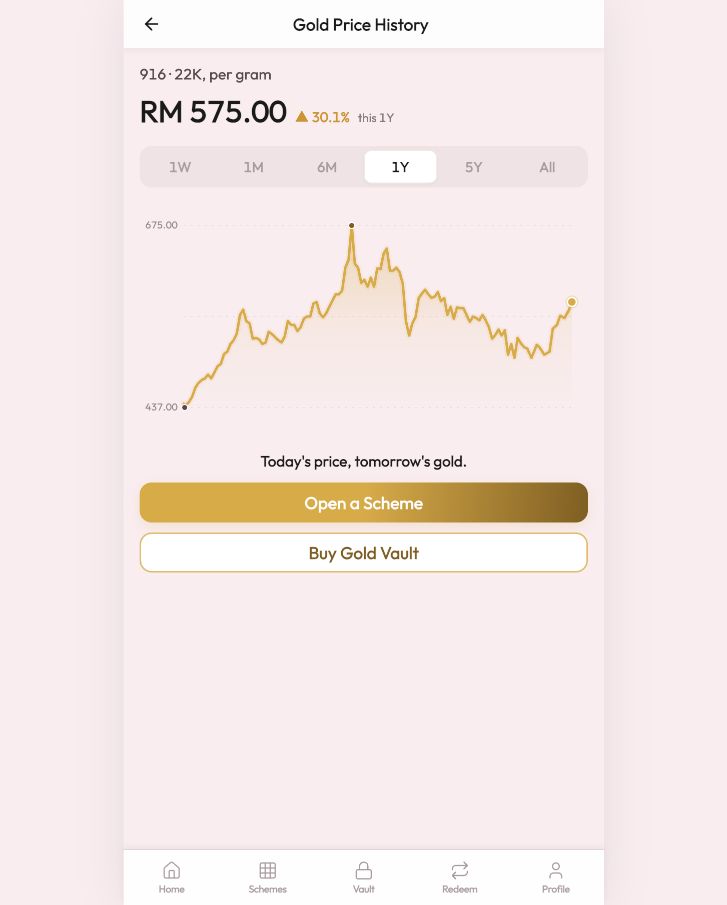
Begin with today’s displayed price. Use the history controls to view recent movement, remembering that past movement never guarantees what gold will do next.
03SCENE 03
Choose a monthly Scheme
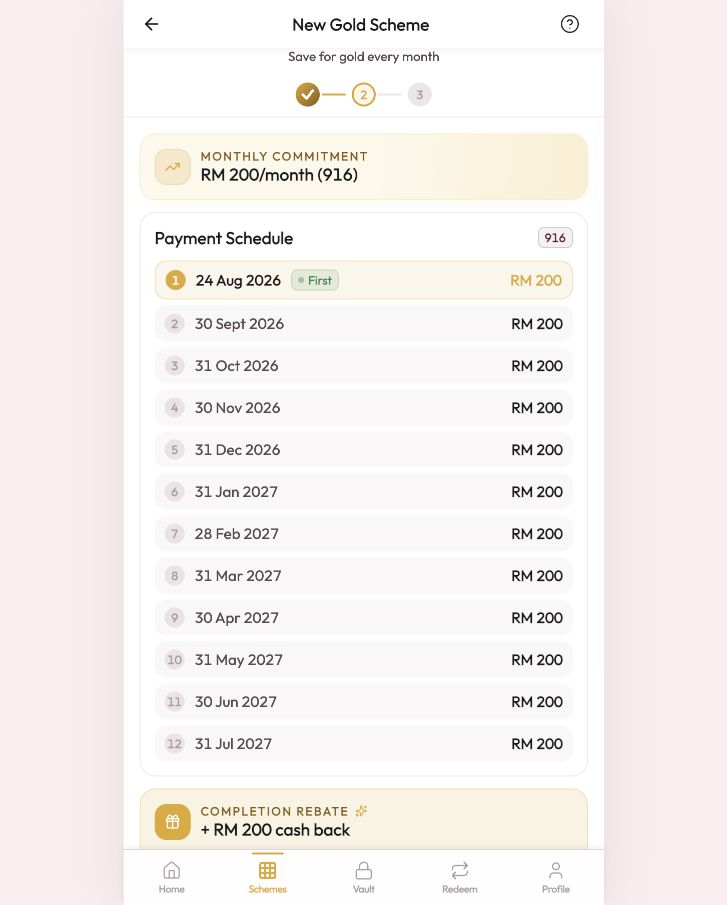
For a monthly journey, name your Scheme and choose an eligible amount from RM100. The app shows an indicative quantity using today’s rate.
 04
SCENE 04
See every payment date
Before continuing, review all twelve scheduled dates. Each successful payment records gold to three decimal places using that payment day’s displayed rate.
 05
SCENE 05
Review the complete terms
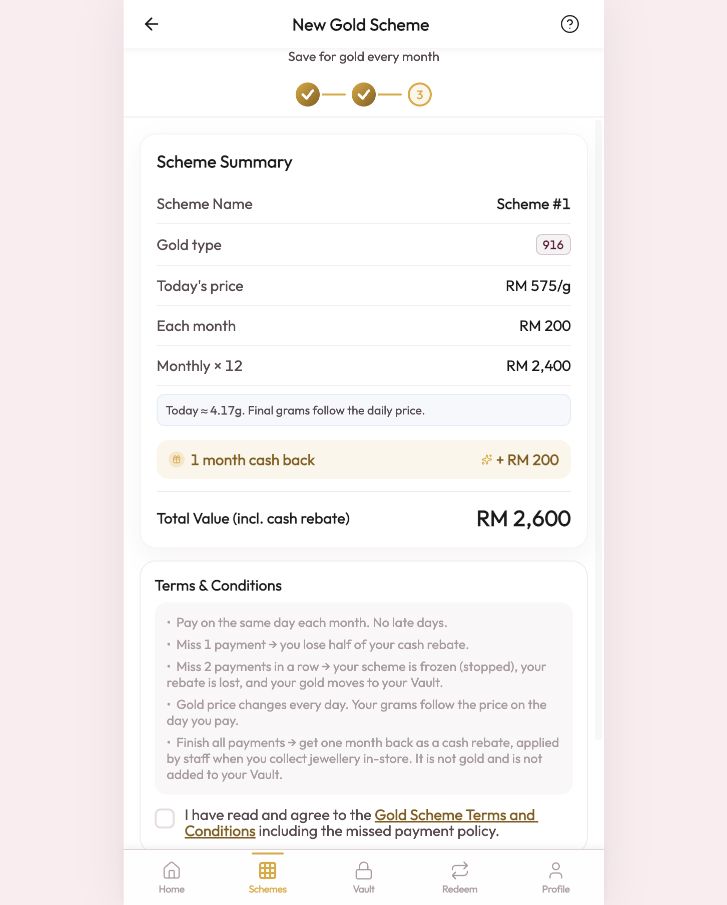
Read the missed-payment policy and total planned contributions carefully. At maturity, zero missed payments qualifies for the full bonus, one for half, and two or more for none.
 06
SCENE 06
Buy gold once
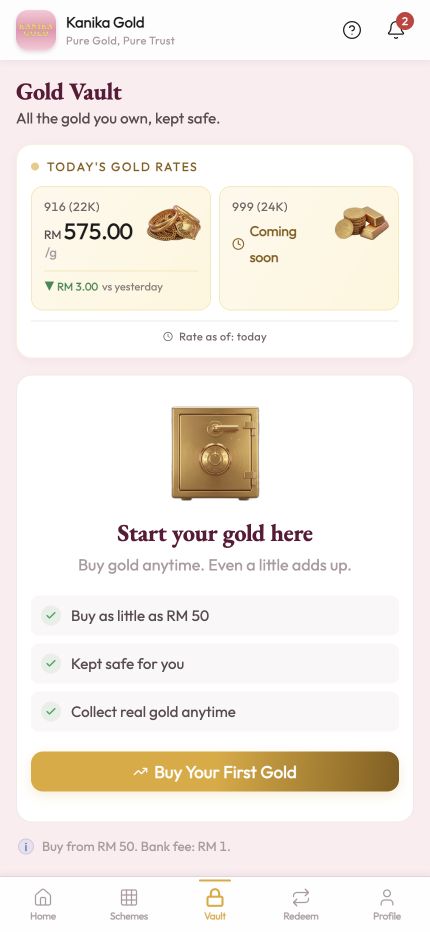
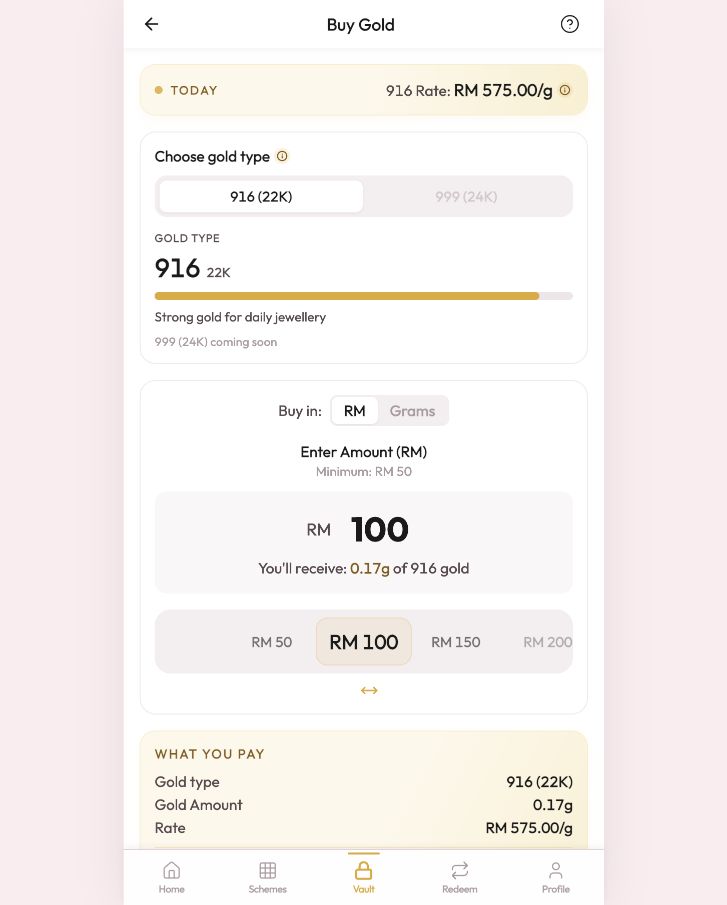
For a one-time purchase, choose ringgit or grams. The app shows the estimated gold quantity, displayed rate, bank fee and full amount payable.
 07
SCENE 07
Check before FPX
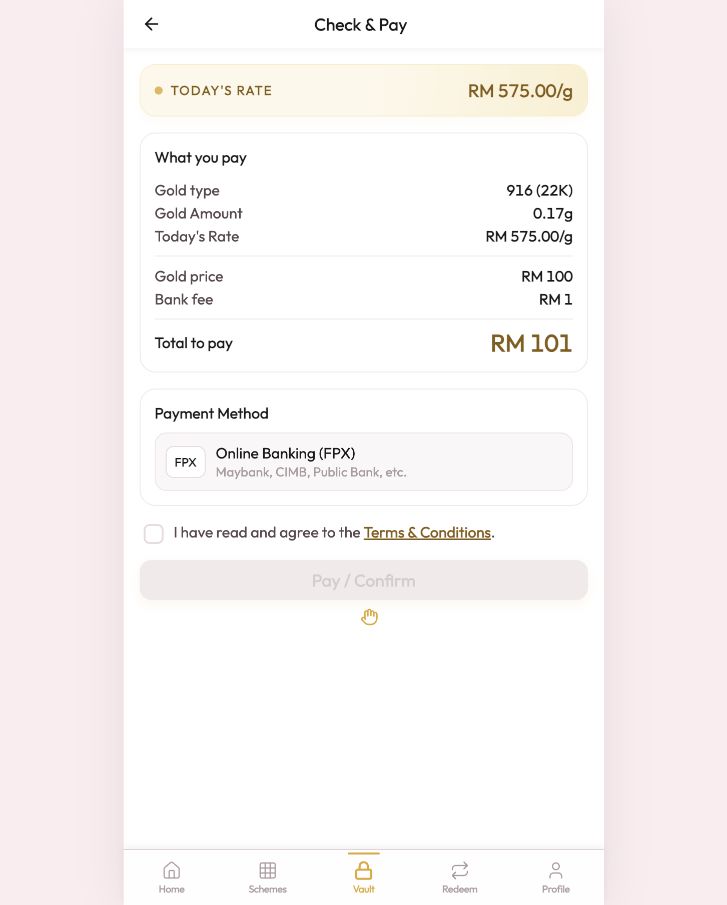
Confirm purity, grams, rate, gold price and fee on the FPX review screen. The customer—not staff—accepts the terms and authorises payment.
08SCENE 08
Follow gold in the Vault
Completed eligible purchases are kept visible in the Vault as recorded physical gold measured in grams.
 09
SCENE 09
Request physical collection
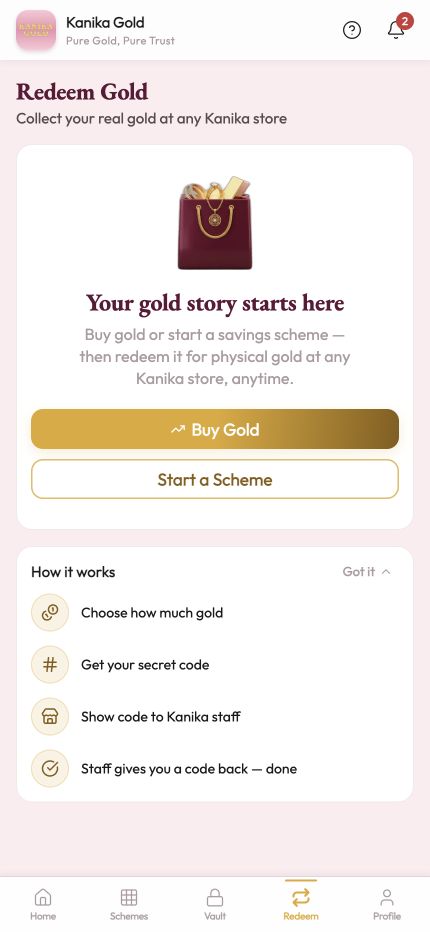
When eligible, open Redeem, choose the quantity and follow the protected customer-code and staff-code process for physical handover.
 10
SCENE 10
Manage the account
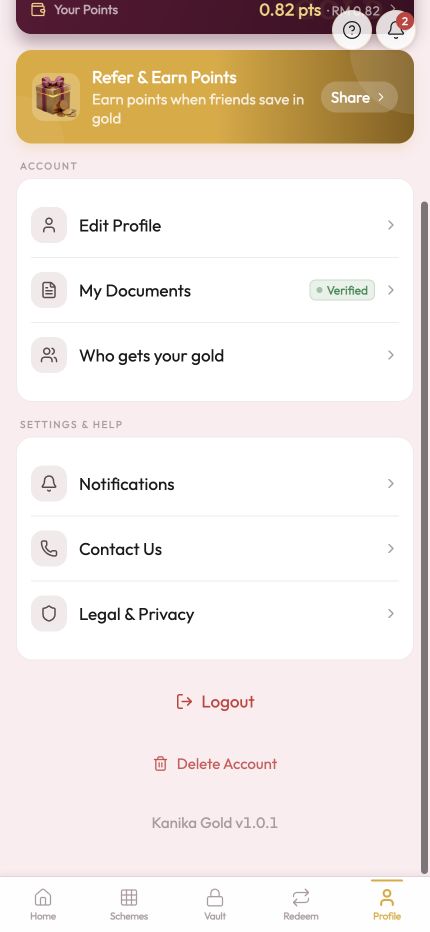
Profile brings together points, referrals, documents, nominee, notifications, help, legal information and account controls.
11SCENE 11
Keep verification visible
The app confirms document status without displaying identity photographs on the everyday verification screen.
 12
SCENE 12
Prepare a nominee
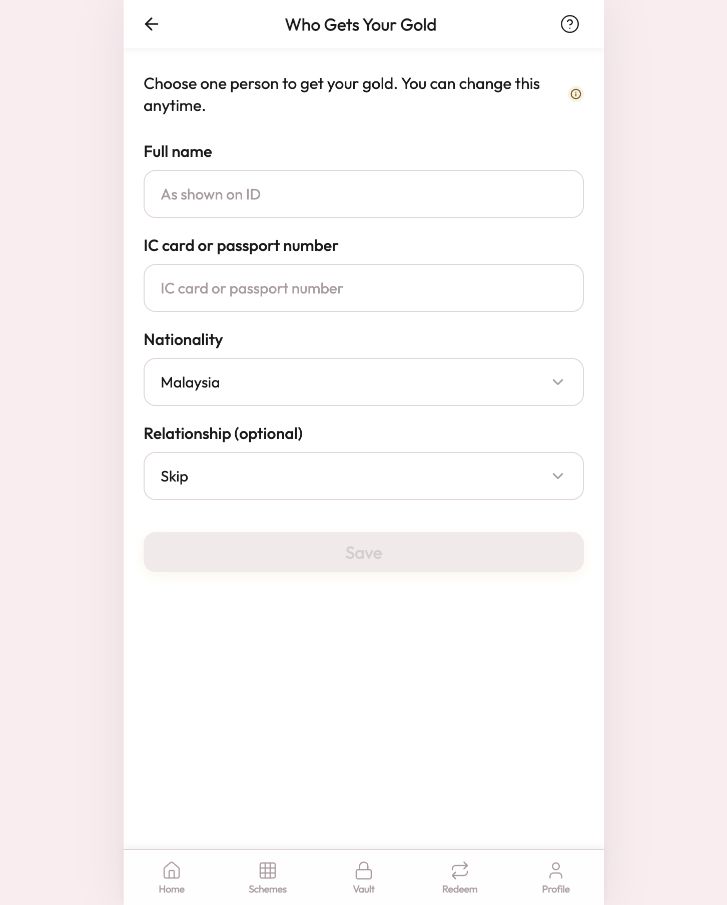
Choose one person intended to receive the gold if something happens to the account holder. Personal details should always be entered by the customer.
 13
SCENE 13
Get help safely
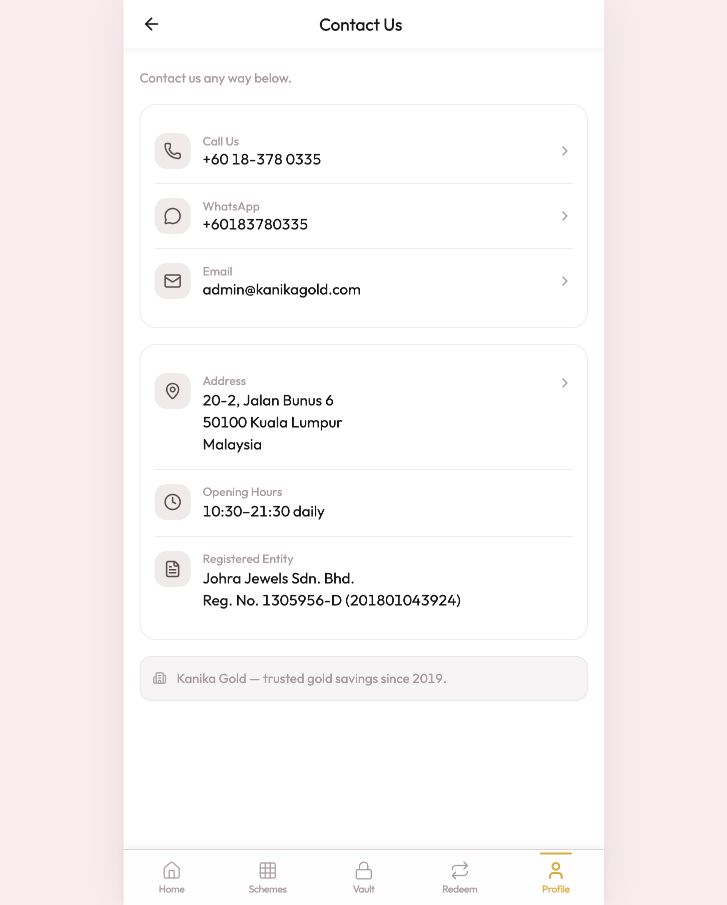
Use the official contact details shown inside Profile. Support can explain the journey, but nobody should ask for a password, OTP, banking credential or private redemption code.
 14
SCENE 14
Choose useful updates
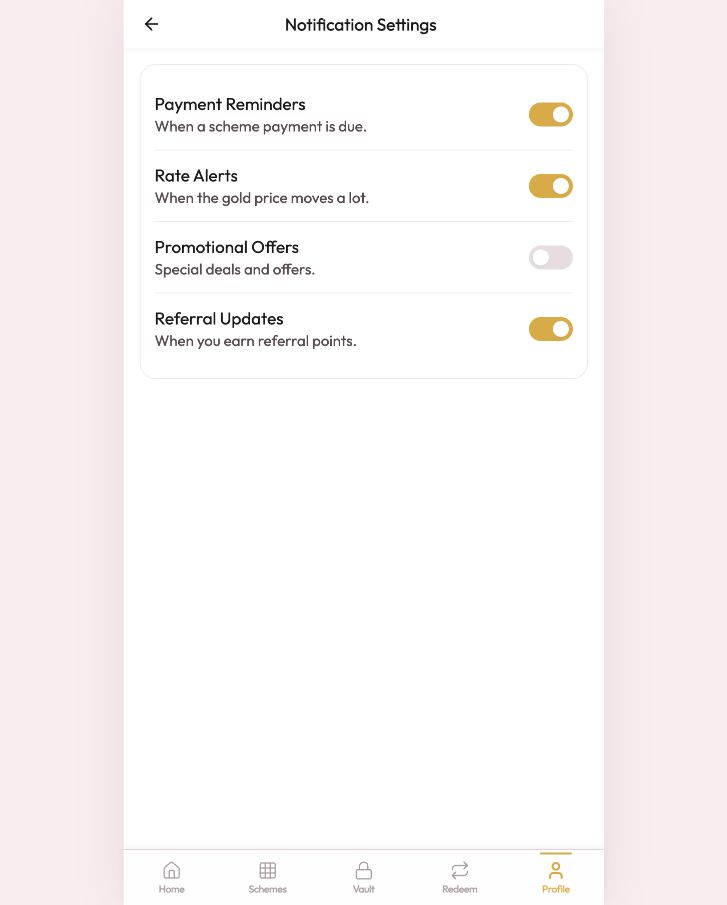
Manage payment reminders, rate alerts, promotions and referral updates from Profile, keeping only the notifications that are useful to you.
15SCENE 15
Why the Kanika journey is different
Kanika connects a clear digital record with accessible 916 physical gold, a one-time Vault purchase, a named monthly Scheme and verified collection with a retail team.
16SCENE 16
Your gold journey, made clear
Check the rate. Choose your way. Follow every gram. Collect with confidence. Begin in the official Kanika Gold App and always verify the live terms before proceeding.
FIVE-MINUTE APP TOUR
The complete journey,
beautifully concise.
- 00:00Home
Point out the live rate, main choices and where a customer begins.
- 01:00Scheme
Explain the monthly flow, recorded grams and current completion terms.
- 02:00Vault
Show the one-time purchase path, minimum amount and displayed fee.
- 03:00Redeem
Rehearse the protected customer-and-staff code exchange.
- 04:00Profile
Finish with documents, nominee, points, support and legal information.
KANIKA KNOWLEDGE BASE
Find the right answer.
Explain it clearly.
Choose a topic before opening a question. Each answer follows the updated customer-service FAQ and operating guidance.
24customer questions
across five topics
01
Gold & rates
What customers are buying, how the daily rate works and why grams vary.
01Is this an investment product?+
No. Kanika is a retail physical-gold pre-purchase and savings service. Gold prices fluctuate and no return is promised.
02How is purchased gold calculated?+
The eligible ringgit amount is divided by the displayed transaction-date rate. Each successful purchase is recorded to three decimal places.
03Why do the grams change from one purchase to another?+
Each successful transaction uses its own displayed rate. When the rate is higher, the same ringgit amount generally buys fewer grams; when it is lower, it generally buys more.
04Can I rely on a screenshot for today’s price?+
No. Screenshots explain the journey; they are not live quotations. Always read the current rate, fee and total inside the app before confirming.
05What does the RM1 charge represent?+
It is the transaction fee shown separately before payment. It is not converted into gold.